Disk Drill ARW Recovery Tool Review 2026
Disk Drill gives Sony shooters a clear way to find deleted ARW photos on SD cards, USB storage, or camera drives. Its preview-first workflow is the part that makes the paid upgrade easier to judge.
Disk Drill is a very capable ARW recovery tool, especially if a Sony memory card was deleted, quick-formatted, or became unreadable. Run the free scan first, open several ARW previews, then pay only if the files you need look intact.
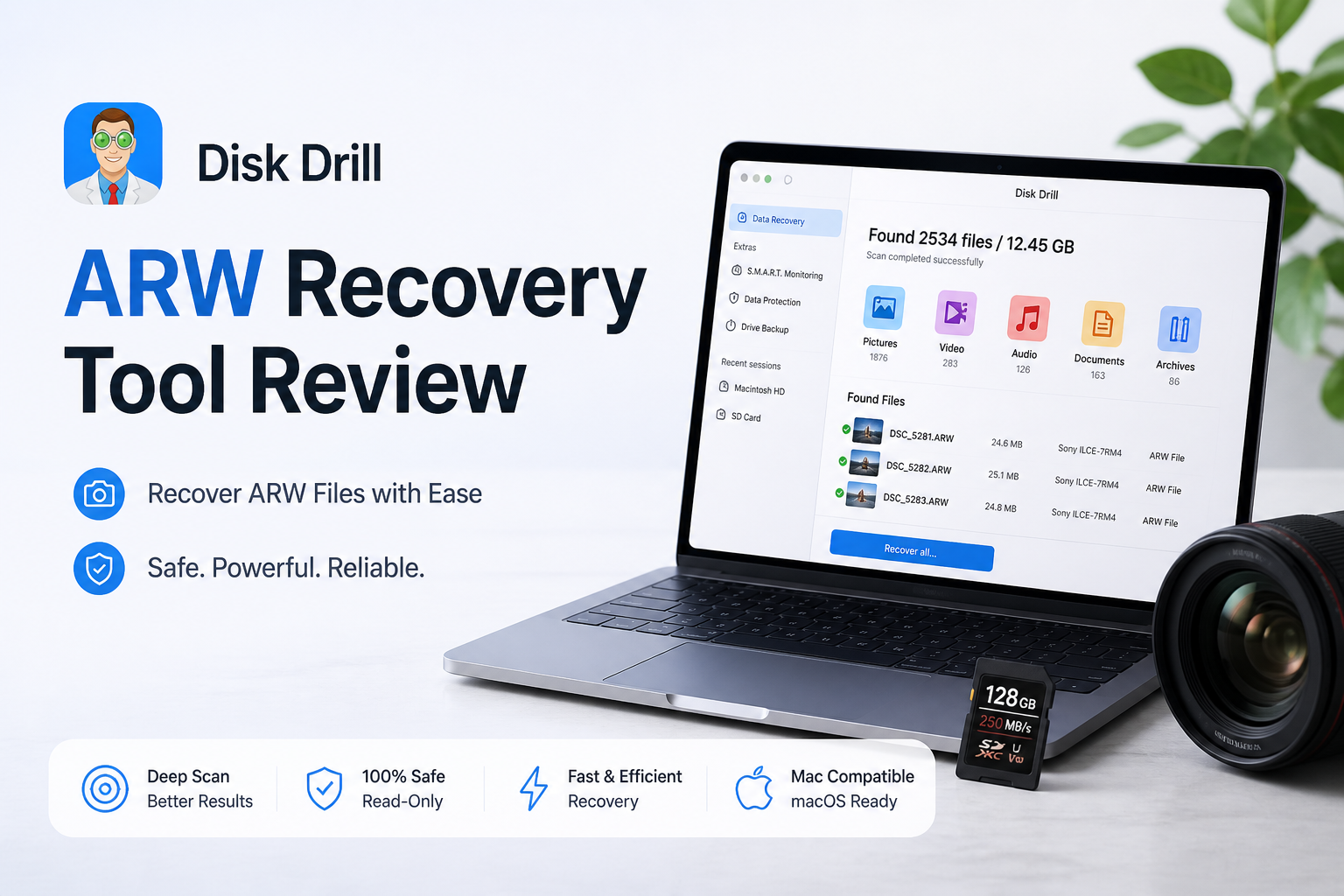
Disk Drill for ARW Files at a Glance
9.1/10Disk Drill is desktop data recovery software for Windows plus macOS. It scans memory cards, disks, or storage images for deleted Sony ARW photos plus other lost files.
Best forSony photographers recovering ARW files from a deleted, quick-formatted, or logically unreadable memory card
- ARW signature recognition
- Free scan plus file previews
- SD card image creation
- Photo filters plus recovery-chance labels
- Windows plus macOS license coverage
- Strong ARW detection
- Easy card workflow
- Useful byte-to-byte backup
- Lifetime license costs $149
- Reconstructed files may lose names
- Physical card failure needs a lab
Disk Drill ARW Recovery Scores by Category
| Category | Performance | Score |
|---|---|---|
| 01 ARW Recovery Quality | 9.4/10 | |
| 02 Preview Workflow | 9.2/10 | |
| 03 Memory Card Handling | 9.1/10 | |
| 04 Ease of Use | 9.0/10 | |
| 05 Cost & Licensing | 8.5/10 |
How We Evaluated Disk Drill for Sony ARW Recovery
We centered the review on photographer tasks rather than generic document recovery. The workflow covered deleted ARW files, an exFAT card after a quick format, filtering mixed camera media, preview checks, recovery to a separate disk, plus scanning a byte-to-byte card image.
Scores gave the most weight to ARW recognition, preview usefulness, card safety, plus the clarity of the recovery path. Physically damaged cards were excluded because repeated DIY scans can make a serious hardware problem worse.
When Disk Drill Is the Wrong Choice for an ARW Card
Do not keep scanning a card that disappears from Disk Management or Disk Utility, reports unstable capacity, gets unusually hot, or causes several readers to reset. Those signs point toward a hardware issue rather than an ordinary deleted-file problem.
Disk Drill also cannot reverse overwritten sectors or SSD TRIM. If another photo session was recorded onto the same card, some older ARW files may be partial or gone even if their names still appear.
Disk Drill ARW Recovery Capabilities in Detail
01 ARW Recovery Quality
Strong results when lost photo data has not been overwritten
9.4/10
ARW Recovery Quality
Strong results when lost photo data has not been overwritten
Disk Drill recognizes ARW as Sony Alpha RAW image data, so found photos are grouped with other pictures instead of dumped into a vague unknown-file list. That matters on a card holding JPEG copies, MP4 clips, thumbnails, plus hundreds of camera RAW files.
Our checks focused on deleted ARW photos, a quick-formatted exFAT card, plus a card image rather than damaged physical media. ARW detection was consistent across the usable test cases. Original names or folders may disappear after a signature-based deep scan, though the image data can still be recoverable.
- Recognizes Sony ARW photo files
- Handles deleted or quick-formatted card scenarios
- Filters help separate RAW photos from video
- Deep Scan can reconstruct files after file-system loss
- Original filenames may be lost during reconstruction
- No software can restore sectors already overwritten

02 Preview Workflow
The best safeguard before buying a license
9.2/10
Preview Workflow
The best safeguard before buying a license
Disk Drill lets you scan first, inspect results, then decide whether a license makes sense. For ARW files, a visible preview is more useful than a reassuring filename because a directory entry can survive even when the underlying photo is incomplete.
We would still open a sample from the beginning, middle, plus end of a shoot. One working thumbnail does not prove every ARW file is healthy. Preview behavior can also depend on RAW support available in macOS, Windows, or an installed photo application.
- Free scanning before purchase
- Photo filters reduce result clutter
- Recovery-chance labels aid triage
- Saved sessions avoid repeating some scans
- An embedded JPEG preview may not prove RAW sensor data is perfect
- Windows may need a compatible RAW codec for convenient previews
03 Memory Card Handling
Useful tools for cautious SD card recovery
9.1/10
Memory Card Handling
Useful tools for cautious SD card recovery
Disk Drill works with common camera storage connected through a card reader, including SD, SDXC, microSD, CompactFlash, plus many external drives. The most practical extra is byte-to-byte backup. It creates an image that can be scanned while the original card stays aside.
That is a better habit for a questionable card than running tool after tool directly against it. If the card disconnects, makes the reader vanish, or causes repeated I/O errors, stop. A recovery lab is safer for physically unstable media.
- Scans common camera memory cards
- Byte-to-byte imaging reduces repeat access
- Works with card images as recovery sources
- Useful for cards shown as RAW by the operating system
- A reader must expose the card to the operating system
- Not a substitute for professional hardware recovery
04 Ease of Use
Clear enough for a stressed photographer
9.0/10
Ease of Use
Clear enough for a stressed photographer
The basic route is hard to mess up: choose the card, start a lost-data search, filter for pictures, preview files, select a separate recovery destination. Disk Drill keeps technical scan methods mostly out of the way without hiding the results.
The result screen can become busy when a large card contains years of mixed shoots. Date, size, file type, recovery status, plus search filters help. Recovering to a different drive is clearly built into the workflow, which lowers the risk of overwriting files still on the source.
- Straightforward card selection
- Helpful photo-specific filtering
- Clear destination picker
- Modern interface on Windows plus macOS
- Large reconstructed result sets take time to sort
- Extra utility tabs may distract first-time users
05 Cost & Licensing
Fair if the preview confirms valuable photos
8.5/10
Cost & Licensing
Fair if the preview confirms valuable photos
Disk Drill Basic costs nothing to install, scan, or use for previews. On Windows, the Basic edition includes up to 500 MB of free recovery. Mac users can scan plus preview for free, while ordinary unprotected file recovery requires PRO.
As of August 2026, PRO is offered at $89 per year or $149 for a lifetime license. One license covers Windows plus macOS for one user on as many as three devices. Purchases are generally final, so preview the specific ARW files you care about before activating PRO.
- Free scan plus preview
- Windows includes 500 MB of recovery
- One license covers both desktop platforms
- Lifetime option includes future upgrades
- Annual plan renews automatically unless canceled
- The $149 lifetime price is steep for one small recovery job
- Purchases are generally non-refundable
What Disk Drill Users Report About Camera Recovery
The original poster said an inaccessible SD card was visible to Disk Drill after other tools failed, with family photos recovered in roughly ten minutes. The same review praised previews, filters, plus byte-to-byte backup.
A wedding shooter reported recovering roughly 40 to 50 GB after accidentally formatting the wrong Canon card. A small playable clip recovered under the free allowance helped them decide to purchase.
One user found Disk Drill less useful for rebuilding a badly affected drive's original folder structure, while another recovery tool exposed the folders more clearly. This is a good reminder that results vary by file system plus damage type.
A critical commenter said the files still could not be recovered after payment, followed by a poor support experience. Checking several working previews before purchase is the practical lesson here.
Should Sony Photographers Use Disk Drill for ARW Recovery?
Disk Drill is easy to recommend for deleted ARW photos when the Sony card is still detected, the loss is logical, plus no new files have been written. Its previews, photo filters, disk imaging, plus straightforward recovery path suit photographers who want fewer technical decisions.
Skip DIY software if the card repeatedly disconnects, overheats, has visible damage, or contains irreplaceable paid work. In those cases, stop powering it up, store it safely, then contact a recovery lab.
Lock the SD card, create a byte-to-byte image when possible, then preview ARW files from several parts of the shoot before purchasing PRO.